VectorLens
AI embeddings create shadow copies of your data. Use VectorLens to scan vectors and discover or classify sensitive information hidden in AI pipelines.
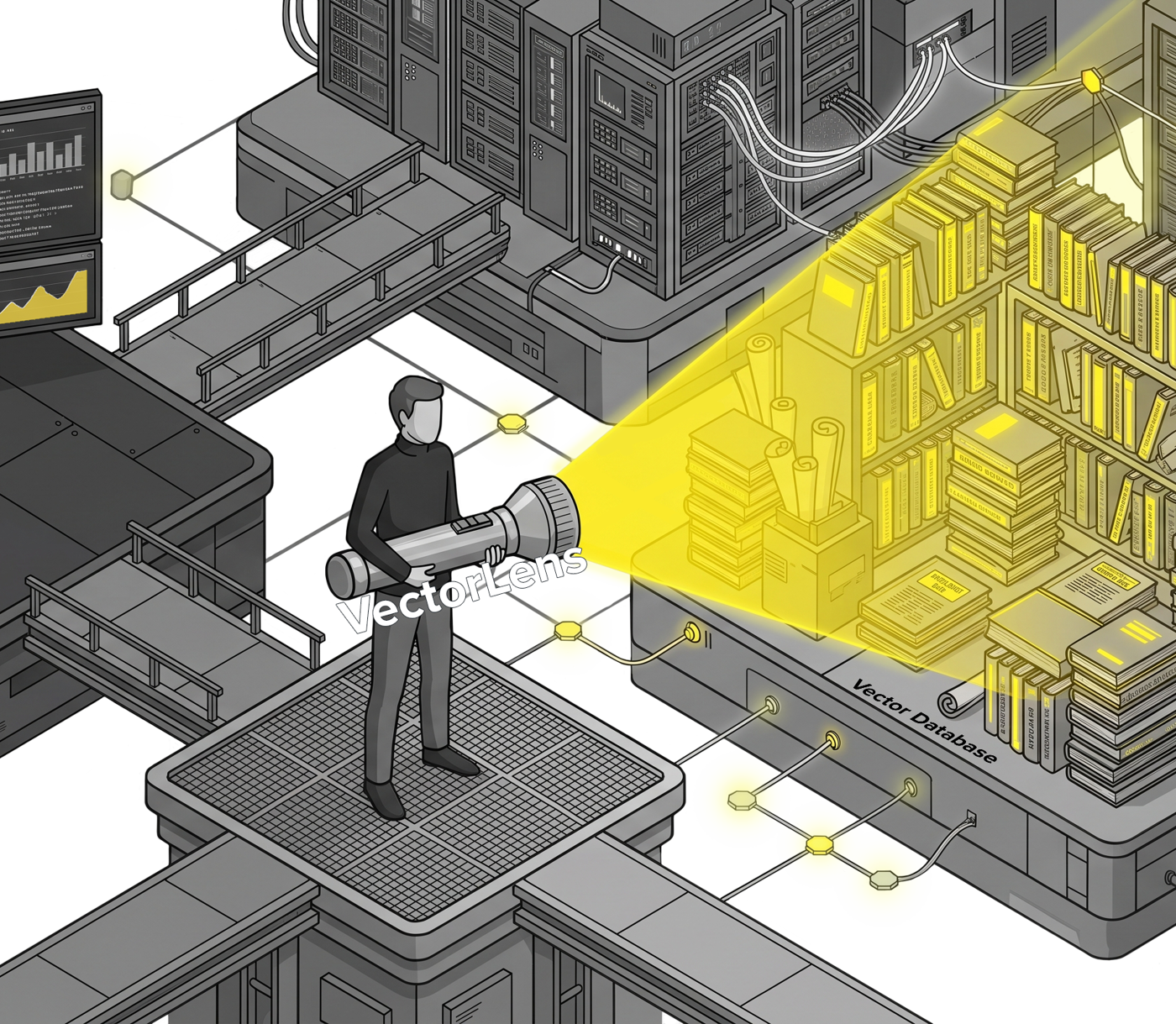
Vector Attacks
RAG workflows use AI vectors, which hold hidden sensitive data
They look meaningless, but vector embeddings, models, and other numerical representations of data in AI can be reversed through various types of inversion attacks. Embeddings are often used in Retrieval-Augmented Generation (RAG) workflows, among others. If you use RAG, you likely have sensitive data duplicated into AI vectors.
Inversion attacks can extract personally identifiable information (PII), health diagnoses, dollar amounts, dates, and other confidential material like forward looking financial statements, strategy, HR information, and so on.
VectorLens identifies vectors that are under-monitored and under-secured so you can take the appropriate actions from permissions to encryption. Unlike other offerings in this area, you do not need to know the source data in order to determine if the vector represents anything sensitive.


Governance blind spot
Understand what's in your AI data
Privacy and AI regulations don’t care that sensitive data has been turned into numbers (and neither do hackers). If a vector can be inverted back to a name, a diagnosis, or a card number, then it’s personal data under GDPR, CCPA/CPRA, HIPAA, and the EU AI Act, which means you’re obligated to track it.
AI makes copies of data and hides them in places your existing PII scanners can’t look. It’s a massive new data and governance blind spot that VectorLens can help you uncover. Here are some of the real gaps:
Data mapping & records of processing (GDPR Art. 30): your RoPA and data maps are incomplete if they ignore the copies of personal data living in embeddings.
Access & deletion requests (DSARs / right to erasure): you can’t honor a deletion or access request for data you don’t know you’re holding in a vector store.
Breach scope & notification: unencrypted PII-bearing vectors expand the blast radius of a breach and the population you may be required to notify.
AI governance & audit: regulators and customers increasingly expect you to show what data feeds your AI systems and how it’s protected.
VectorLens gives privacy, security, and GRC teams the evidence they need: a concrete, category-by-category accounting of the sensitive data hiding in their vectors.
Use Cases
Put VectorLens to work
Make the case to decision makers
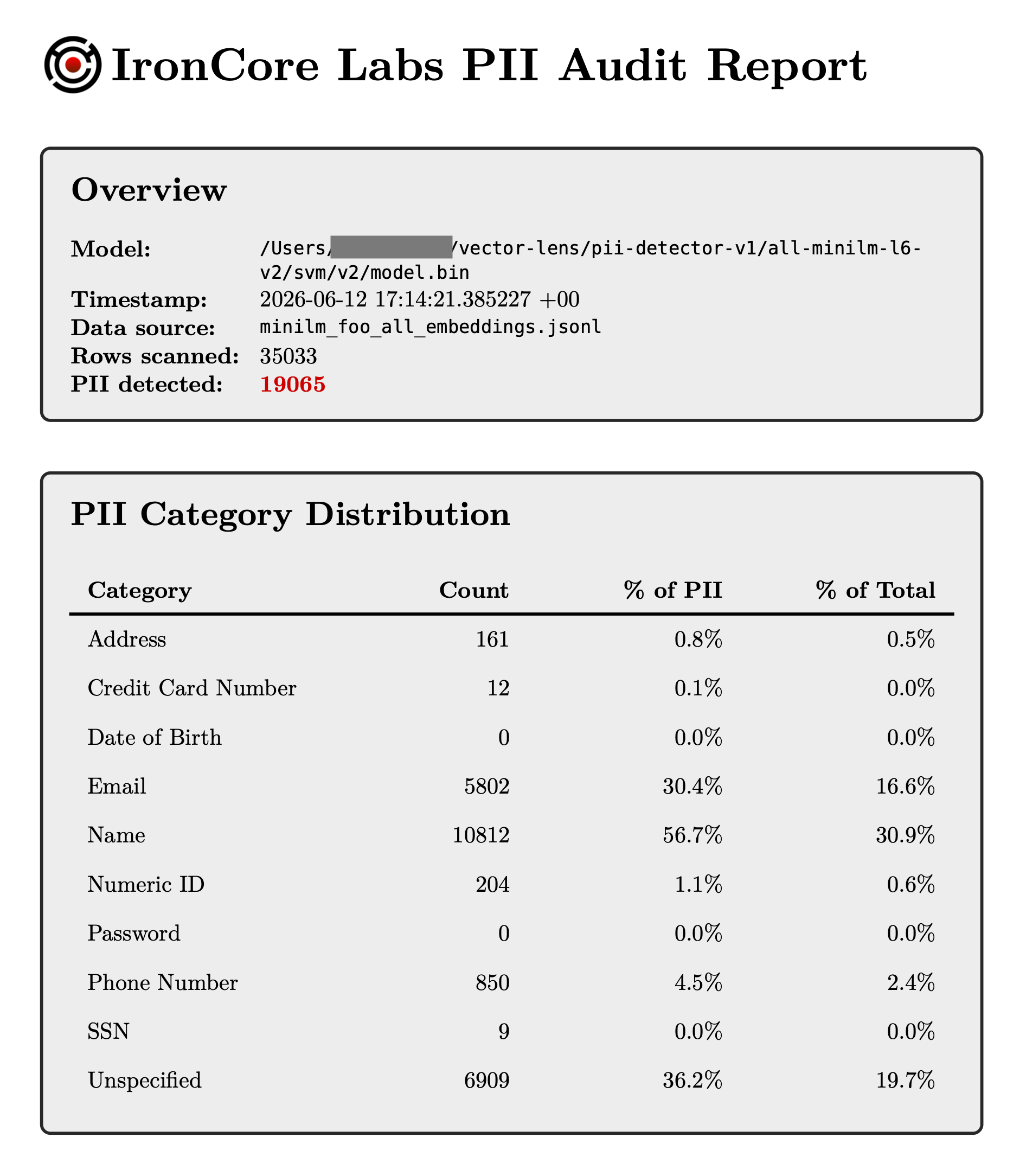
Generate a shareable PDF that shows non-technical stakeholders exactly how much real PII is sitting unprotected in your vectors. Turn an abstract risk into a number they can act on.
Catch regressions in protected stores
Monitor encrypted or PII-free datastores to detect when a team introduces new, unencrypted vector PII before it becomes an incident.
Audit unmanaged vector databases
Discover what developers have quietly pushed into vector databases and vector-enabled databases across your infrastructure, and flag the indices that need scrutiny or protection.
Decide whether to encrypt
Quantify your exposure and determine whether Cloaked AI vector encryption makes sense for your data.
Local CLI Tool
Free* command-line tool to scan vectors and generate reports
VectorLens is a cross-platform (linux and macos) command-line tool you can use to scan vectors and generate text or PDF reports on findings. Head over to our docs site to see what models are supported or our feedback page to request support for specific embedding models.
The tool uses trained classifiers to find PII in vectors. We also have attack models for inverting, but have chosen to withhold that functionality at launch to keep this a tool that is only useful to defenders.
VectorLens works with any vector store as long as you can export the vectors for local scanning. It can be used by security teams who want to understand what data is being quietly replicated into vector-enabled databases within their organization. The tool is scriptable and can be used to apply labels back to data or to identify indices that need additional scrutiny or protection.
Run it on your own machines, keeping your data in your infrastructure at all times. IronCore Labs never sees your vectors or anything private.
* Free to try and use; fully self-serve; requires an access key, which you can obtain by filling out a form with your email address.
bash$ ironcore-vector-lens scan -m all-minilm-l6-v2 jsonl-file --path minilm_foo_all_embeddings.jsonl --report-path foo.pdf 11:14:20 No cached lease found, fetching one from the subscription console 11:14:21 Found supported model 'all-minilm-l6-v2', scanning for PII with it. 11:14:28 Detected 1000 PII embeddings, sampling a few: 11:14:28 Detected ai4p-6609-0 as containing address, email, name, numeric_identifier, name, phone_number, address PII. 11:14:28 Detected ai4p-8291-0 as containing address, email, name, phone_number, address PII. 11:14:28 Detected ai4p-4903-0 as containing address, email, name, phone_number, address PII. 11:14:28 Detected ai4p-9445-0 as containing address, email, name, phone_number, address PII. 11:14:28 Detected 1000 PII embeddings, sampling a few: 11:14:28 Detected ai4p-1491-0 as containing address, email, name, numeric_identifier, name, phone_number, address PII. 11:14:28 Detected ai4p-3046-0 as containing address, email, name, phone_number, address PII. 11:14:28 Detected ai4p-6610-0 as containing address, email, name, address PII. 11:14:28 Detected ai4p-1489-0 as containing email, name, phone_number, address PII. ... 11:14:29 Scan report written to ./ironcore_pii_audit_minilm_foo_all_embeddings.json. 11:14:29 ╭────────────────────────┬───────╮ │ total_embeddings │ 35033 │ ├────────────────────────┼───────┤ │ total_pii_embeddings │ 19065 │ │ address │ 161 │ │ credit_card_number │ 12 │ │ date_of_birth │ 0 │ │ email │ 5802 │ │ name │ 10812 │ │ numeric_identifier │ 204 │ │ password │ 0 │ │ phone_number │ 850 │ │ social_security_number │ 9 │ │ unspecified │ 6909 │ │ cancelled │ false │ ╰────────────────────────┴───────╯ 11:14:29 54.42% of the scanned embeddings contained PII
Competitors Miss the Mark
IronCore VectorLens scans the actual data, not proxies of it
Other DSPM tools are text-first and text-only. Your developers have to be incorporating the scanning tech and labeling things in the process of making the vectors. That's fine, but it doesn't help you to know what data has crept into the database without oversight. It's all hope and no verify.
| Competing DSPM tools | IronCore VectorLens | |
|---|---|---|
| What it inspects | Source/original data retained near the index | The vectors themselves |
| Needs access to source data | Yes | No |
| Detects PII in orphaned/imported embeddings | No | Yes |
| Proves inversion/reconstruction risk | Inferred | Demonstrated |
How it works
Three-step process to taking action
- Export: export vectors from your vector database that you want to test. See our documentation for examples covering major vector data stores.
- Scan: on a Linux or Mac box, call the command line tool and point to the exported vectors.
- Report: use the JSON report, the text output, or produce a PDF that can be emailed around.
Once you've produced a report, it will give you the information you need to make decisions going forward, such as whether or not you need to encrypt your vectors.
Vector Protection
Encrypt your AI vectors wherever they live
Check out IronCore's Cloaked AI: first-in-market and best-in-class encryption-in-use for AI vector embeddings. You can use it anywhere you store your vectors, it's simple, and it makes your vectors useless to attackers.
Demo
See it in action in this quick explainer

VectorLens FAQ
Can IronCore see my data?
Do I need the original source text to scan my vectors?
Which embedding models are supported?
all-minilm-l6-v2, bge-m3, gtr-t5-base, text-embedding-ada-002, and text-embedding-3-large. We add models regularly; check the documentation for the current list, or request support for a specific model.Which vector databases does it work with?
What kinds of PII does it detect?
unspecified bucket for other sensitive content.Does VectorLens perform inversion attacks?
What does it cost?
What do I need to run it?
PATH, and run.